At HexOrbit, a good chunk of our software gets written by a small crew of AI agents before a human ever looks at a diff. Not one big "do everything" agent — a pipeline of specialists: one that reads the codebase, one that writes the user story, one that writes the technical spec, two that implement backend and frontend, one that verifies tests, and one that does a final read-only check before anything ships. A human approves the plan before code gets written, and approves again before anything merges.
That pipeline has been running for a while on a mix of CLI-based agent tools, each configured by hand. It works, but it's opaque: there's no single dashboard for "what is every agent doing right now," and every new integration (issue tracker, code host, shared docs) means wiring credentials into yet another config file. So when we came across a self-hosted control-plane tool for AI agents — the kind of product that gives you an org chart, a task inbox, and a marketplace of one-click connectors, then drives your existing coding-agent CLIs underneath — we set aside a day to pilot it.
This post is the honest version of that day: why we wanted it, what we got working, and the bug that made us walk away.
Why we went looking
Three specific annoyances pushed us to evaluate a control plane rather than keep hand-rolling it:
- No shared visibility. Each agent's config lived in its own profile on disk. Seeing the whole crew's status meant checking several places by hand.
- Connector sprawl. Every agent that needed the issue tracker, the code host, or our internal knowledge base needed its own credential wired in separately, agent by agent.
- No human-approval UI. The two approval gates in our pipeline (approve the spec, approve the ship) were enforced by convention and a human reading logs, not by an actual "waiting for your sign-off" screen.
A control plane promised to fix all three at once: one org chart for every agent, connectors configured once and shared, and an inbox where approvals are an actual button.
What we built
We mapped our existing seven specialists plus the orchestrating "lead" agent onto the new platform one-for-one, keeping the same roles, the same model choices per role, and the same stage order. Along the way we made a few deliberate changes with the team's sign-off:
- Two of the roles moved off one coding-agent runtime onto another, purely to keep monthly cost down — the two highest-token-volume roles (the codebase reader and the story writer) were switched to run on a cheaper model by default, falling back to the pricier one only when needed. The review and final-validation roles, which need to be more careful, kept their original model priority.
- We connected our issue tracker, code host, and docs workspace once at the org level, then granted each agent only the access it actually needed — the two read-only agents got nothing writable, the operator role kept sole ownership of the issue tracker, and only the agents that actually touch code got code-host access.
- We wired every agent to our internal shared knowledge base over MCP, discovering the correct endpoint by checking the infrastructure that was already hosting it rather than guessing.
By the end of the day: nine agents configured, three external connectors scoped correctly, and a shared knowledge base reachable from all of them. On paper, a genuine upgrade.
The bumps that weren't the real problem
A few rough edges showed up along the way — none of them fatal on their own:
- A rich-text editor in the platform had a formatting bug: typing a block of instructions that happened to start with a
#character silently turned every following paragraph into a heading. Avoiding#at the start of a line sidestepped it. - OAuth for the issue tracker rejected the connection once because the platform's callback used a slightly different form of "localhost" than what we'd registered — an easy fix once we spotted the mismatch.
- One "connect account" button needed a second click on the provider's own card before it would enable, on more than one occasion.
All survivable. The actual blocker was somewhere else entirely.
The blocker
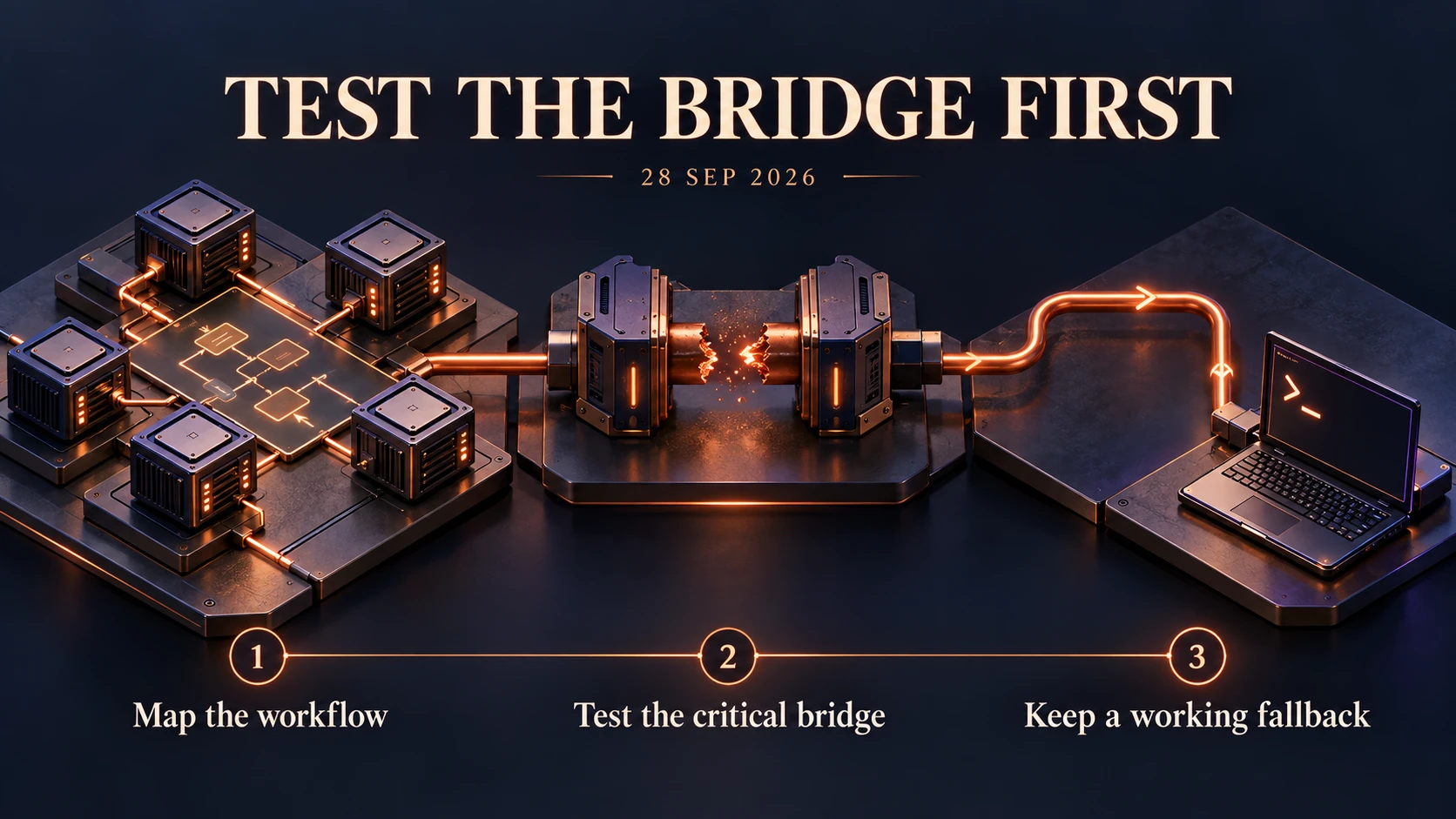
The platform drives each coding-agent CLI through its own protocol bridge — a small server process that sits between the platform and the CLI, translating platform events into the CLI's native session format. For one of the CLI-based agents, every single run failed within the first few seconds, always with the same message: a terminal access failure, thrown before the agent had done any actual work — the session would open, the platform would list the available commands, and then the bridge would die.
We went through the obvious suspects, in order:
- Runtime version — met the documented minimum, with room to spare.
- The bridge binary itself — ran fine standalone, outside the platform.
- A stale build — the platform was already on its latest released version.
- Stuck process state — a full clean restart of the whole platform reproduced the identical failure, immediately, on the very first run.
The platform's own documentation had a named workaround for exactly this failure mode: fall back from the protocol bridge to a plainer, direct CLI-invocation mode for that one agent. We tried it. Saving that specific setting change threw a second, unrelated-looking error about the connected AI account "failing validation" — which blocked the documented fix from ever being applied.
At that point we had a real, reproducible bug in the platform's own integration layer, with its own documented escape hatch also broken. That's not something we could fix from our side.
The call we made
We uninstalled it the same day, rather than sink more time into a bug in someone else's protocol bridge. Nothing about our actual working pipeline changed — the agent profiles, model choices, and knowledge-base access all live independently of any control-plane layer, so removing it didn't cost us anything we'd already built. We're back to running the pipeline directly on the coding-agent CLIs we know work, and we've noted the specific failure for next time in case a future version of the platform (or a different one) fixes it.
The lesson we're taking forward: before migrating a whole pipeline onto a new orchestration layer, run its riskiest single integration — the one your setup actually depends on — as a pilot task on day one, before configuring anything else around it. We built the full org chart first and hit the dealbreaker last, which cost us most of a day we could have spent finding it in the first ten minutes.
If you're evaluating a similar tool for an AI agent pipeline: ask specifically how it drives the coding-agent CLI you already rely on, and test that path first, before you invest in the org chart around it.